


Understanding Insignia TV Remote Codes for Maximum Compatibility
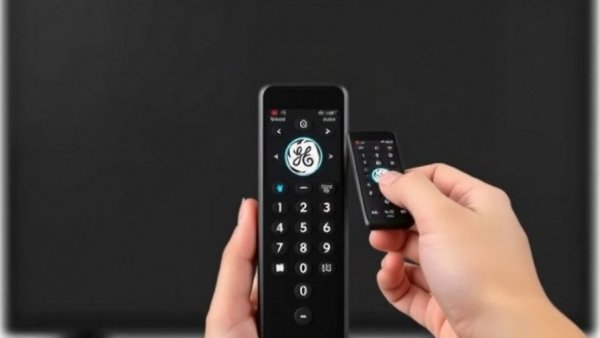
Have you ever faced frustration trying to connect your Insignia TV with a universal remote? You're not alone. These codes may seem intricate, but they largely depend on the remote type rather than the TV model itself. That means every universal remote—whether it’s GE, Philips, onn, or RCA—has a different code database, and getting it right is crucial for seamless operation.
Why Different Remotes Use Different Codes
It's essential to understand that each remote brand retains its own codes and versions, causing confusion among users. GE and Philips remotes, produced by Jasco, share a code database categorized into four different lists, ranging from CL3 to CL6. For instance, a user may find that the same Insignia TV responds differently based on the remote being used. On the other hand, onn remotes have two primary lists. Faulty attempts usually arise when users mix up these lists, leading to failed operations when an inappropriate code is used.
Finding the Right Code Starts Here
To find your Insignia TV's correct code, begin by identifying your remote. You can open the battery compartment of your GE or Philips remote to find a version printed inside, which will inform you of which code list applies. For RCA remotes, model numbers may offer insight directly on their surface. Having this information will streamline the process and help you avoid the frustration of wrong codes and partial matches.
The Importance of Thoroughness in Testing Codes
Once you have your code list, enter the first code and test functions such as power, volume, and input. If you find that the TV responds to volume changes but not to input switching, this indicates a partial match; move to the next code in the list. Users often overlook that some codes may work differently for each function. Hence, patience is key: explore each code thoroughly.
Quick Troubleshooting Tips for Remote Compatibility
If you’ve gone through your list and none of the codes seem to work, it could be worth attempting the automatic code search feature that most remotes offer. This process systematically goes through stored codes until a match is found. If your universal remote can’t control your TV, check if your Insignia TV responds to its own power button, as a failure to do so might indicate an issue unrelated to the remote.
In conclusion, understanding the intricacies of Insignia TV remote codes ensures that you’re well-equipped to troubleshoot and resolve connectivity issues with ease. Embrace these tips to enhance your viewing experience and discover the potential of your smart devices.




Write A Comment