
cropper
update
Ignitor Marketing
update
  • Home
  • Categories
    • Home Improvement
    • Home Automation
    • New Trends In Home Renovations
    • New Technology for Homes
    • Smart Homes
    • Home Owner News
June 16.2025
2 Minutes Read

Transform Your Living Space with 5 Super-Techie Smart Home Automations!

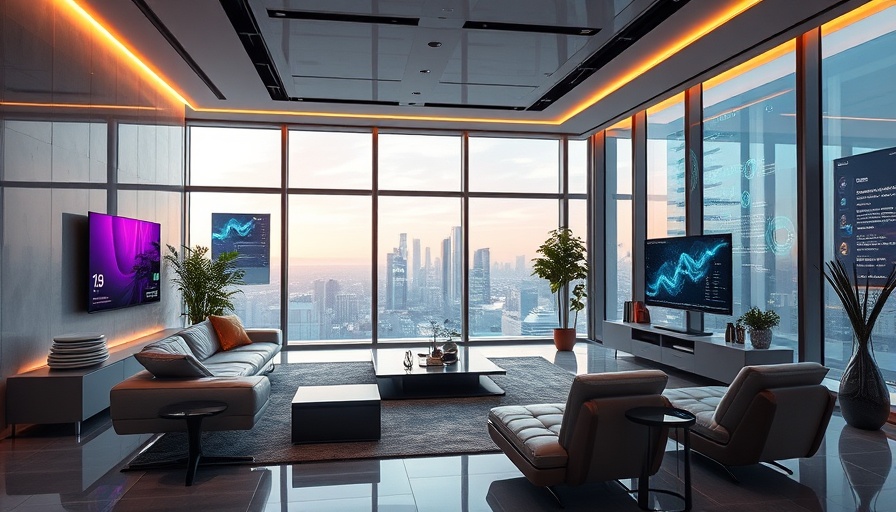
Futuristic smart home with super-techie automations enhancing living space

Unlock the Smart Home Potential: Must-Have Automations

The future is here, and it’s living in your home! If you’re among the growing number of people embracing smart technology, you already know how sweet it is to control your environment with just a tap or a voice command. But what if we told you there are some techie automations that could take your smart home to the next level? Let’s dive in!

Automated Lighting: Bright Ideas for Energy Savings

Ever come home to a dark house? Automated lighting not only sets the mood as you enter but can also save energy. In addition to motion sensor lights, consider scheduling lights to dim at specific times, simulating your presence even when you’re away. It’s eco-friendly and makes you look like the ultimate homebody — or just super organized!

Voice-Controlled Assistance: Your New Best Friend

If you don’t have a voice assistant yet, you're missing out! Devices like Amazon Echo or Google Home can help manage your smart appliances, play your favorite tunes, and even provide reminders. Just think of the amount of time you’ll save—truly, having a voice-controlled assistant is like having a personal concierge, right from your couch!

Smart Thermostats: Comfort on Auto-Pilot

No more fussing with the manual thermostat! Smart thermostats learn your schedule and adjust the temperatures accordingly. Imagine walking into a perfectly warm living room after a chilly day. Plus, they’re designed to help you save on your energy bill—win-win!

Customizing Notifications: Stay in the Loop

Getting notifications about your home security can make you feel like a superhero. Want to know when someone walks into your yard? Or when your delivery arrives? Customize your alerts so you’re always in-the-know, without being bombarded by useless notifications!

Security Cameras: Keep a Watchful Eye

Last but not least, don’t underestimate the power of smart security cameras. With motion detection, night vision, and remote viewing, keeping an eye on your property has never been easier or more high-tech. They offer peace of mind with just a glance at your smartphone—who doesn’t want that?

These automations are not just convenient; they add a sprinkle of magic to your everyday life. So, gear up and explore the wonderful world of smart home tech. Who knows what amazing advancements are waiting just around the corner!

Home Automation

Write A Comment

*
*
Please complete the captcha to submit your comment.
Related Posts All Posts
05.15.2026

Unlocking YouTube's Free Picture-in-Picture: A Game-Changer for Homeowners

Update YouTube’s Picture-in-Picture Update: Now Everyone Can Enjoy! YouTube has just made a big leap towards enhancing user experience by rolling out its picture-in-picture (PiP) feature for free to all users worldwide! This much-anticipated feature, which allows users to continue watching videos in a smaller window while multitasking on their devices, is a game changer for both casual users and home improvement enthusiasts alike. How Picture-in-Picture Works No longer confined to Premium subscribers, the PiP feature can now be easily activated on both iOS and Android devices. To use it, simply navigate to your YouTube app's advanced settings and enable the PiP option. Once set, you can watch your favorite longform non-music content while responding to emails or checking on your latest home DIY project. It’s perfect for busy homeowners looking to optimize their time while simultaneously indulging in their favorite content. Multitasking Made Easy: The Benefits of PiP for Homeowners For homeowners engaged in renovations or DIY projects, the ability to watch tutorial videos while working can be invaluable. Whether you're trying your hand at DIY plumbing, painting a room, or planning your next kitchen upgrade, the PiP feature can help you stay informed and inspired without interrupting your workflow. Imagine being able to watch a video on the latest energy-efficient appliances while you measure your space! A Quick Look at Limitations It's important to note that PiP will only work for longform, non-music videos unless you have a YouTube Premium account. This doesn’t diminish the feature's appeal but serves as a reminder that content creators work hard to produce quality video content that deserves support. However, the functionality of multitasking with the available library of home improvement articles and tutorials is still a significant upgrade for many users. The Future of Home Improvements with New Tech As we journey through the digital age, the integration of technology in home improvement projects is becoming increasingly vital. YouTube's ongoing innovations highlight the importance of leveraging new tools and techniques to enrich how we maintain and enhance our living spaces. As a homeowner, being aware of such trends will elevate your DIY capabilities and boost your home's value. Ready to Jump In? Now that picture-in-picture is available for everyone, why not take a moment to explore the vast world of tutorials and articles on home improvement? Dive into DIY plumbing, learn about energy-efficient updates, or get inspired for your next remodeling project. Embrace the convenience of multitasking and let your creativity flourish!

05.15.2026

YouTube’s Free Picture-in-Picture Update: A Game-Changer for Homeowners

Update YouTube Rolls Out Free Picture-in-Picture for All Users In a delightful twist for video enthusiasts, YouTube has introduced an exciting update that allows everyone to enjoy picture-in-picture (PiP) mode—no subscription needed! This feature is a game changer for multitaskers looking to watch their favorite content while juggling other tasks on their mobile devices. Whether you’re a homeowner squeezing in a tutorial on DIY plumbing or a service provider watching a home improvement video, now you can do it all in style! How to Enable Picture-in-Picture Users on both iOS and Android can easily take advantage of this new feature. Just watch a longform, non-music video and swipe up (iOS) or hit the home button (Android) to bring the video into a floating window. You’ll be able to navigate through your other apps while still keeping track of your favorite YouTube content. If it doesn’t work at first, make sure PiP is enabled in your settings. Never fear; help is right at your fingertips! The Limitations of the Update However, it's essential to note that while this update is exciting, it comes with a slight catch. Free users can only utilize this feature with non-music content. If you want PiP to work with your music videos, that’s exclusive to Premium subscribers. So while the update brings value to many, it’s not the full package for all content types. Enhancing Home Improvement Projects This new PiP feature is perfect for homeowners and anyone diving into home improvement projects. Want to experiment with a new DYI painting technique or learn how to remodel your kitchen? With PiP, you can have instructional videos playing while you’re busy at work, making your projects smoother and more enjoyable. This feature aligns perfectly with the growing trend of integrating technology into everyday home tasks. Looking Ahead: The Future of Home Technology As technology continues to evolve, updates like this signal a move towards more seamless integrations between our daily tasks and our entertainment choices. Homeowners can expect a future filled with more innovations that enhance their home experience. From energy-efficient equipment to smart home technology, the possibilities are endless! So grab your phone, update your YouTube app, and dive into a world where watching your favorite videos while doing chores is now a reality, all without having to break the bank!

05.15.2026

Unlock New Home Automation Capabilities: 5 Things n8n Can Do with Home Assistant

Update How n8n Extends the Automation Capabilities Beyond Home Assistant While Home Assistant is an exceptional platform for managing your smart home, its capabilities can be significantly extended by integrating it with n8n, a powerful workflow automation tool. Together, they offer a seamless experience that boosts efficiency and saves time, especially for homeowners keen on the latest technology trends. Here are five things that n8n can automate that Home Assistant can't do alone. 1. Holistic Logging and Notification Imagine having a smart home that not only operates in real-time but also keeps meticulous records of activity logs. With n8n, homeowners can automate the process of logging all significant events—like motion detected by a camera or changes in sensor states—into a Google Sheet or sending alerts through Slack. This continuous monitoring provides users with a comprehensive view of their home’s activity, making it easier to identify trends or monitor unusual occurrences. 2. Comprehensive Integrations n8n connects with over 400 applications, allowing the exchange of data between Home Assistant and various services like Google Calendar, HubSpot, and even your email. For instance, if you receive a package, your smart home can automatically log it into your inventory system while notifying you about its arrival through a custom email. This integration helps streamline DIY projects, making it a game-changer for tech-savvy homeowners. 3. Custom Event Triggering Using n8n, users can create custom events that trigger automation routines in Home Assistant. For example, you can program n8n to send notifications to your phone whenever your security camera detects movement or when the temperature exceeds a certain threshold. This dynamic interaction enhances the functionality of your smart home and ensures that you never miss an important event. 4. Advanced Workflow Management One of n8n’s standout features is creating multi-step workflows that can manage complex scenarios. For instance, if you’re out of town, you can set up n8n to automatically adjust your thermostat and turn on security lights if motion is detected. This level of intricacy is challenging to achieve with Home Assistant alone and can significantly enhance home security and efficiency. 5. Access to Enhanced Analytics With n8n, homeowners can automate data analysis by sending operational data to external analytics platforms. This means you can track energy usage daily and receive insights on how to optimize it. The result? Potential savings and a more efficient home that adjusts according to your preferences. In conclusion, integrating n8n with Home Assistant is an inspired choice for anyone looking to embrace smart home technology. From logging activities to sophisticated analytics, these insights and capabilities will allow you to craft an environment that is not only smarter but tailored to your unique lifestyle. If you want to dive into smart home innovations, consider exploring what n8n can do for you!

Terms of Service

Privacy Policy

Core Modal Title

Sorry, no results found

You Might Find These Articles Interesting

T
Please Check Your Email
We Will Be Following Up Shortly
*
*
*