


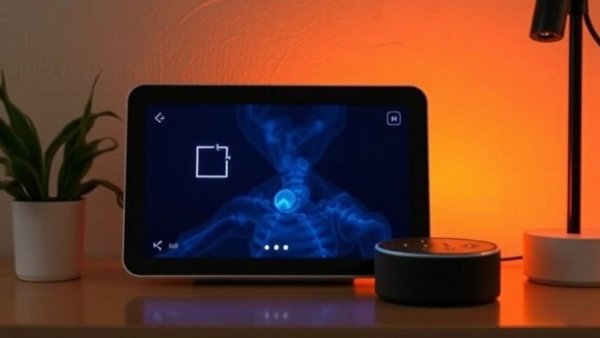
Frustrated by AI Ads? Here's How to Take Control of Your Echo Show
If you own an Amazon Echo Show, you might have recently noticed a deluge of AI-generated ads cluttering your display. Thankfully, there are simple ways to tackle this issue, making your smart display a more user-friendly experience.
While Amazon's latest Echo Show devices, like the new Echo Show 16, aim to compete with Apple’s HomeView, many users are left irritated by a feature called Created For You. This function often showcases irrelevant and generic ads that barely align with personal interests. Rather than showcasing engaging content, these ads can feel like background noise.
Adjust Your Settings for a Better Experience
But don’t worry — you can adjust your settings directly on the Echo Show's touchscreen. Start by tapping the three-dot menu when you see an unwanted AI slide, and selecting the thumbs-down option. This action indicates your disinterest and helps the device learn your preferences over time.
Next, swipe down from the top of the screen to access the main menu, select Settings, then Display & Appearance, followed by Content Categories. Here, you can manually disable categories that don’t appeal to you, focusing instead on topics that match your tastes.
Personalize Your Display: Options Galore!
For those who want to cut out the digital clutter completely, there’s an alternative. You can configure your Echo Show to display a personal photo album instead! This way, instead of random AI-generated slides, you’ll see cherished family moments or breathtaking landscapes.
Alternatively, toggling the Rotate Once feature can ensure AI slides appear only once, leading to a cleaner aesthetic and reducing unwanted distractions.
Why Knowing this Matters for Your Home
As tech-savvy homeowners, understanding how to customize smart devices can enhance your home technology experience significantly. By mitigating the intrusive presence of irrelevant AI ads, you create a more inviting atmosphere in your home. This knowledge not only empowers you but also elevates your Smart Home setup.
So, take a moment to optimize your Echo Show today. By following these simple steps, you’ll enjoy a more personalized display that reflects your own interests!






Write A Comment